
Kirjoittanut: Maria Laakso
This year, we have put a great deal of effort into making our Lemonaid app fast and easy to use, and the first version is now ready for release.
The first version includes an improved version of the familiar receipt feature. Later this year, the app will also introduce the much-requested sales invoicing, reporting, electronic purchase invoices, and travel expense reporting.
Explore the most important new features here one by one or check this video at the end of the article: There's also a list of all the new features at the end of the article.
Explore the new features
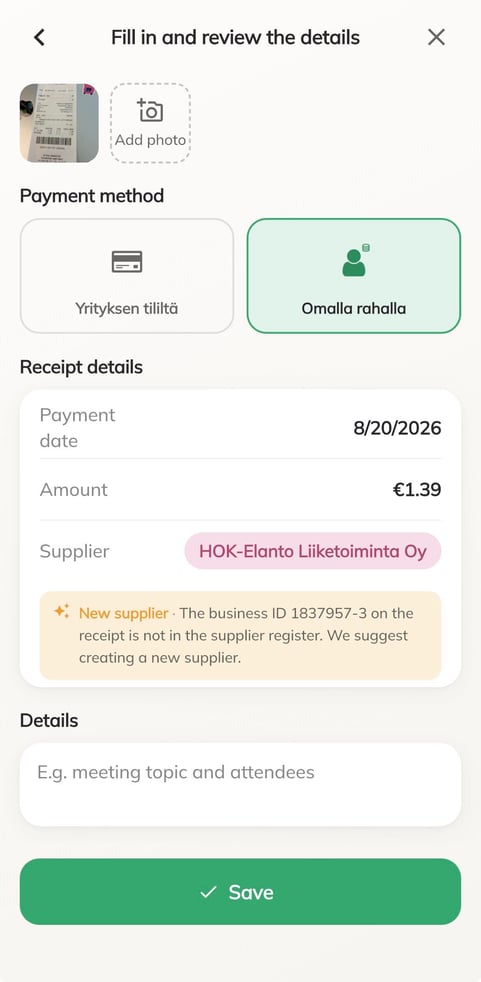
Add receipts fast – powered by Artificial Intelligence
AI identifies the payment date, amount, supplier, and payment method from the receipt, leaving you with only the task of checking them. Thanks to AI, the first time you add a receipt, you only need to click the payment method.
Lemonaid recognizes and adds a new supplier always automatically and will use it in the future.
Once you’ve saved a receipt for a new payment method for the first time, you can link the payment method shown on the receipt to Lemonaid’s payment methods. From then on, all purchases made with that bank card will automatically be assigned the same payment method.
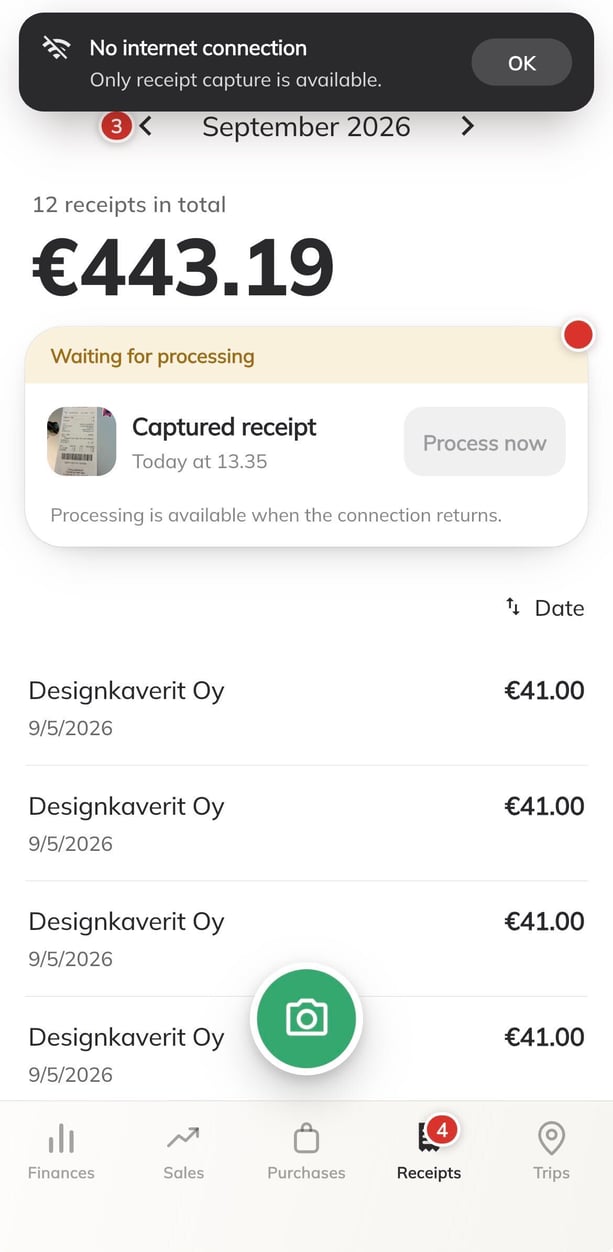
Offline support adds an extra layer of security
Lemonaid also has built-in offline support. If Lemonaid can’t find an internet connection, you can still take a photo of the receipt in the app and save it for processing later. Once you’ve captured the receipt, you can close or leave the app. The receipt will remain on the home screen waiting to be processed, and AI will read its details as soon as the internet connection is restored.
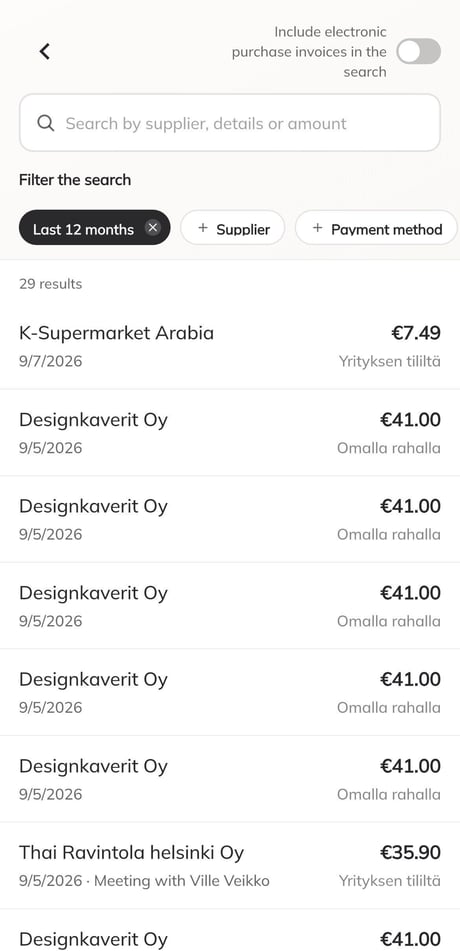
Excellent search makes finding receipts a breeze
With the new search feature, you can filter receipts by date, supplier, payment method, or any combination of these, as well as search by text.
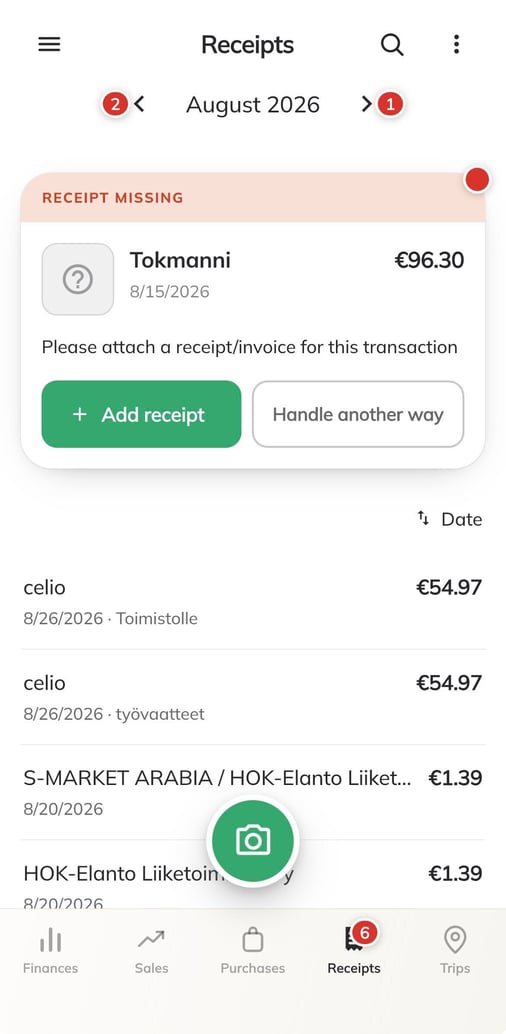
Clearing receipts is easy
From now on, Lemonaid will separate account transactions that need a receipt from receipts that need more information.
This means you can add more information to a receipt without attaching an unnecessary extra image. You can also mark an account transaction without a receipt as a personal expense, a lost receipt, or a transaction that does not need a receipt.
Explore the new features in this video:
All the new features:
-
AI-powered receipt reading and automatic fill of the information
- Automatic vendor identification and creation using AI
- Automatic clarification requests for transactions without receipts (AI-powered)
- Support for actionable clarification requests
- Completely redesigned and more powerful search and filtering tools
- Vendor registry now available for receipts
- Project selection for receipts
- Multi-company profile support
- Push notifications
- Dark mode
- CSV files